Skip to content
Features

Record, read, translate and find. All on your iPhone.

Everything NotizPro does, with what is free and what comes with Pro.

FreePRO
Recording

One tap, and it keeps going

Record with the screen locked or while you use other apps. Audio is saved every minute, so a crash never costs you the meeting.
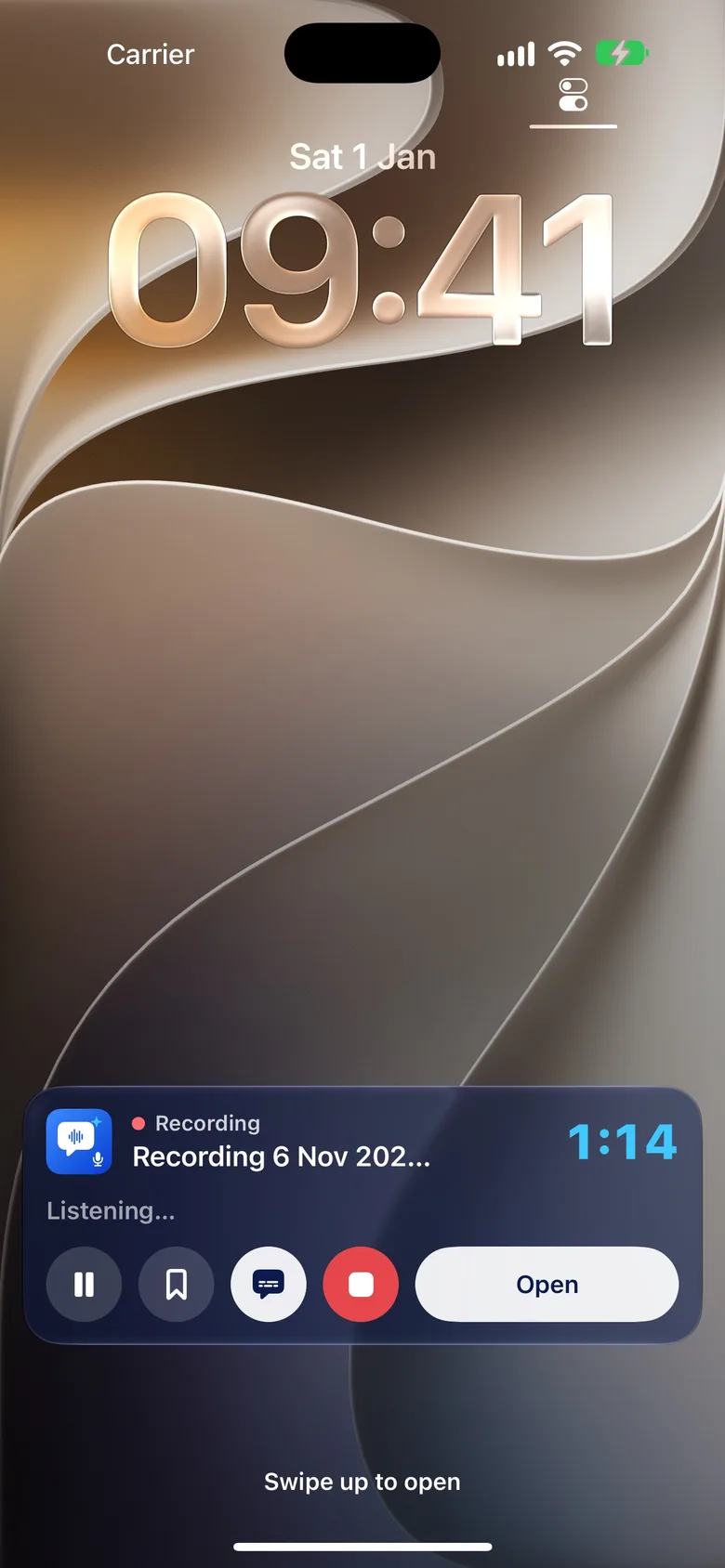
Lock Screen and Dynamic Island. Timer with Pause, Highlight and Stop, and live captions.
Highlight marks the last 15 seconds; Quick note pins text to the second.
Photo during a recording, pinned to the moment; text in the photo becomes searchable.
Calls pause the recording. If AirPods disconnect, the iPhone mic takes over.
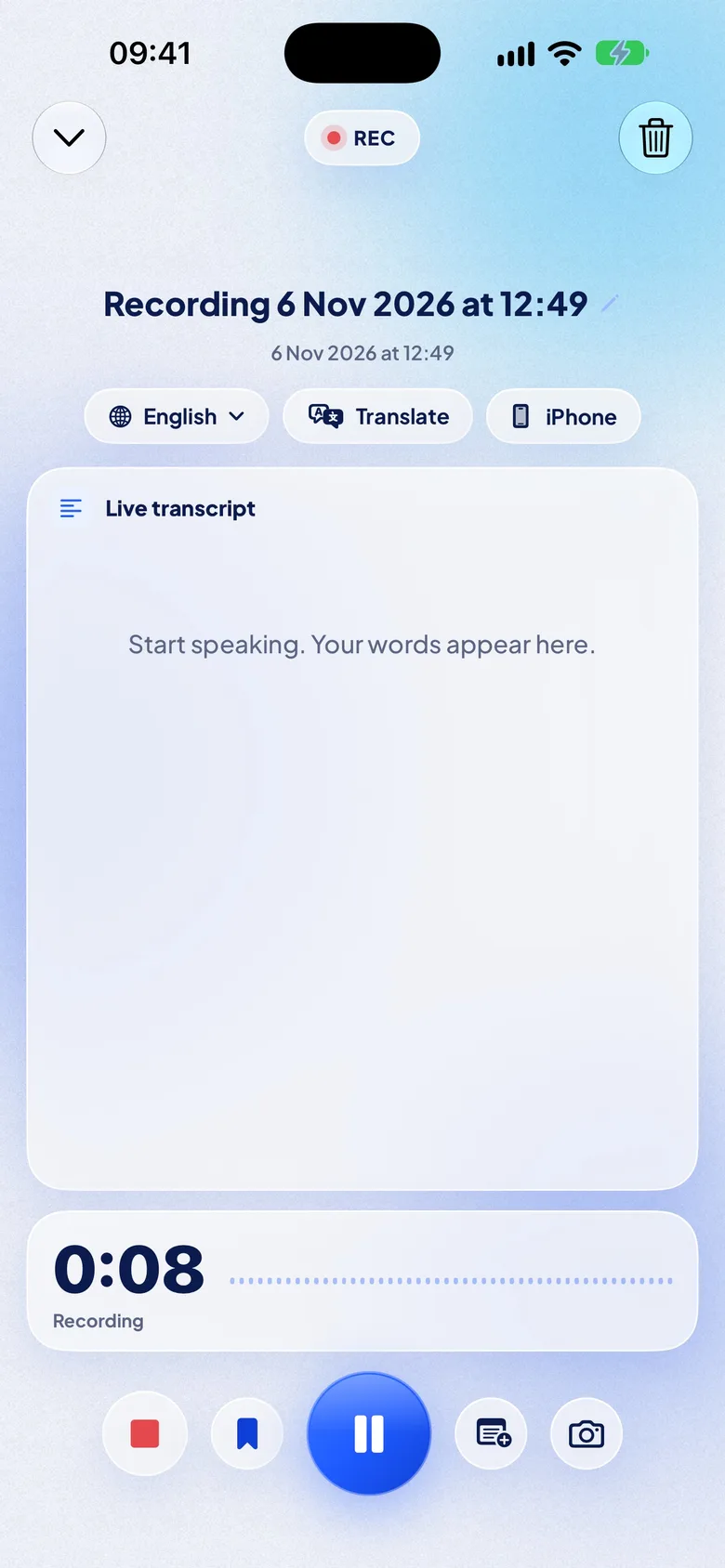
iPhone, AirPods or a wired mic, and a language chip to switch language.
Storage guard stops cleanly before the iPhone is full.
Recording screen with language, Translate and microphone chips, the live transcript and the timer
Lock Screen Live Activity with the recording timer, Pause, Highlight and Stop
Recording screen with language, Translate and microphone chips, the live transcript and the timer
Lock Screen Live Activity with the recording timer, Pause, Highlight and Stop
Live translationPRO

Follow any meeting in your language

Pick your language and read each sentence about two seconds after it is spoken. After the meeting the note keeps both languages.
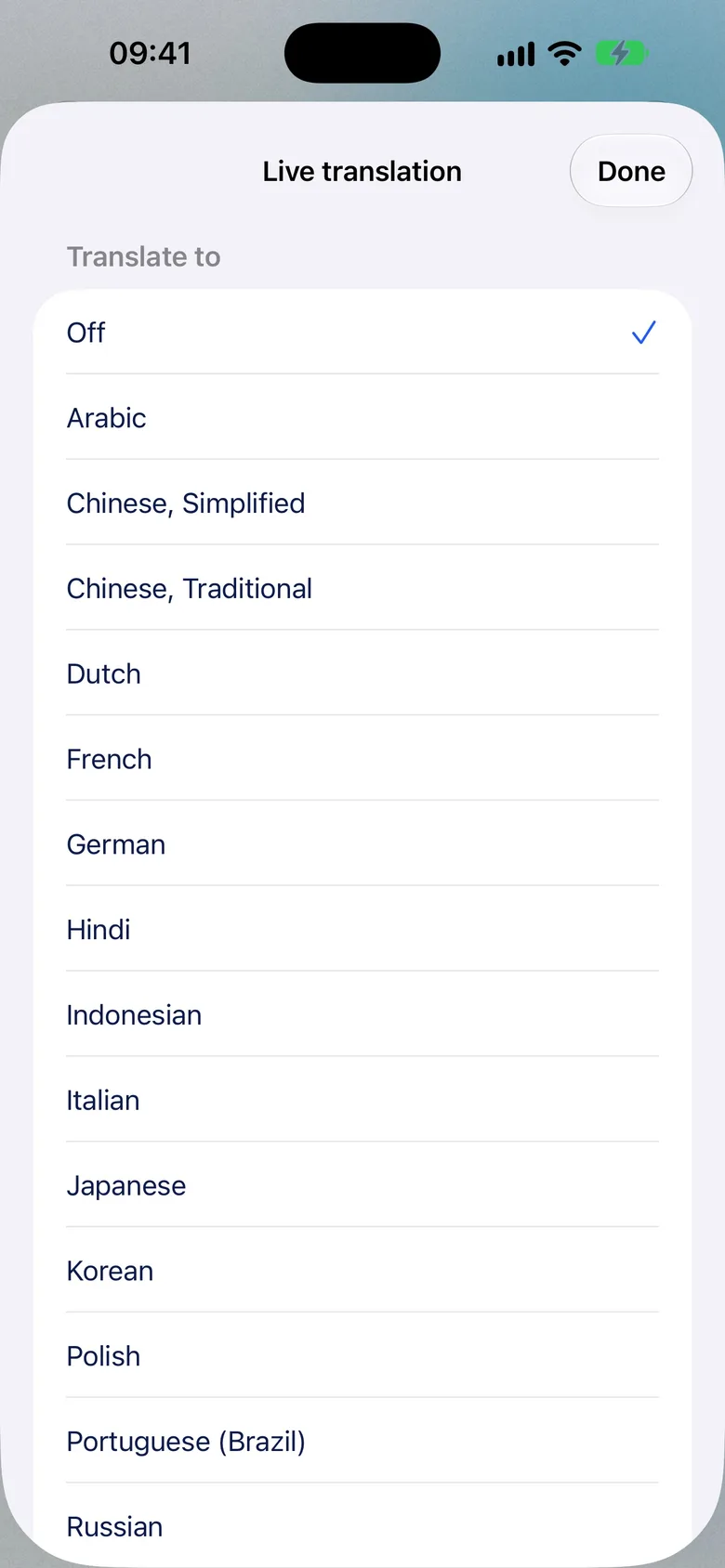
Both languages, translation only or original. Adjustable text size.
Into 20 languages, offline after a one-time download, on iPhone 11 or newer.
Read the translation aloud, for example in your AirPods.
Bilingual export: text or subtitles in both languages.
Translating a finished note is free for everyone.
Live translation sheet: pick the language to translate into
Notes and transcript

Tap a word to hear it

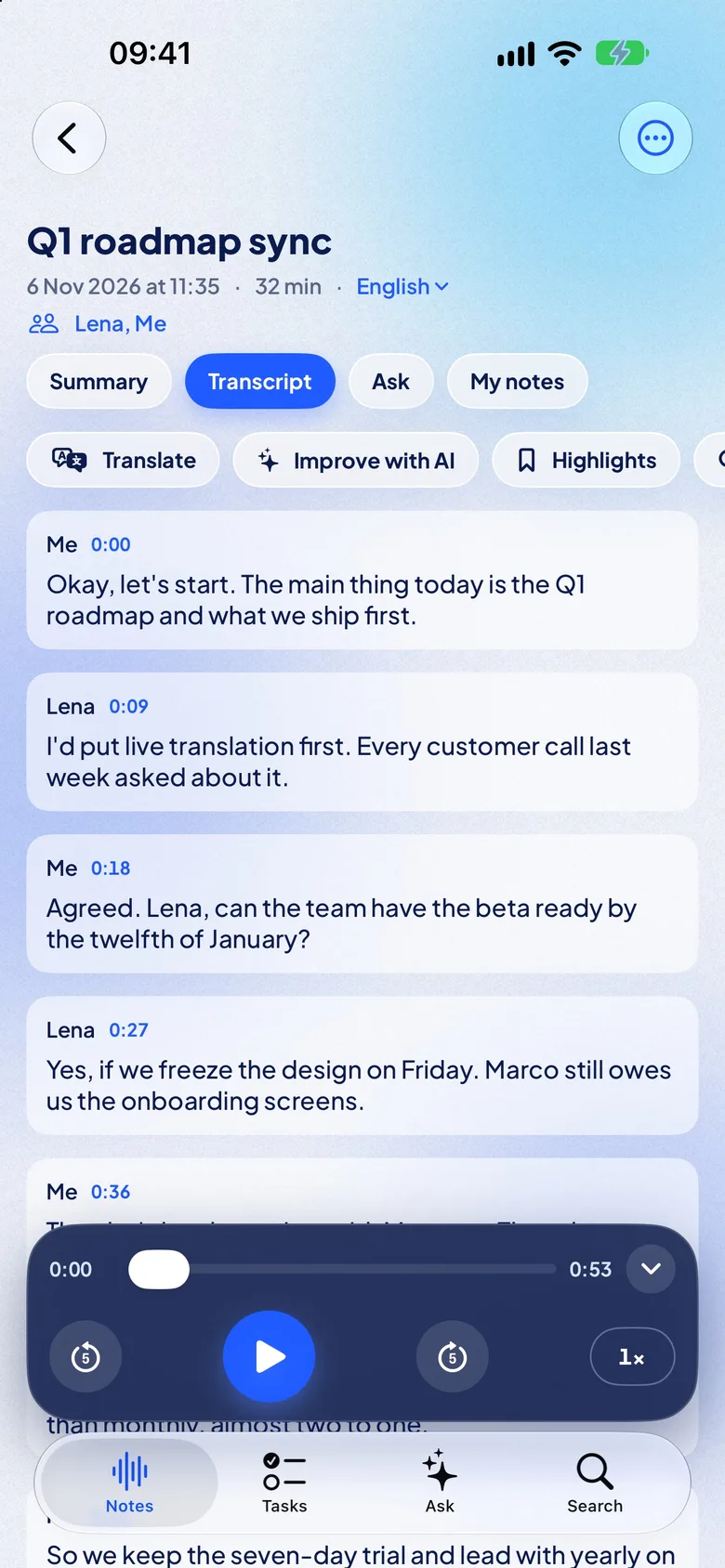
The transcript is ready seconds after you stop, with punctuation, paragraphs and word timing. The spoken word lights up while you listen.
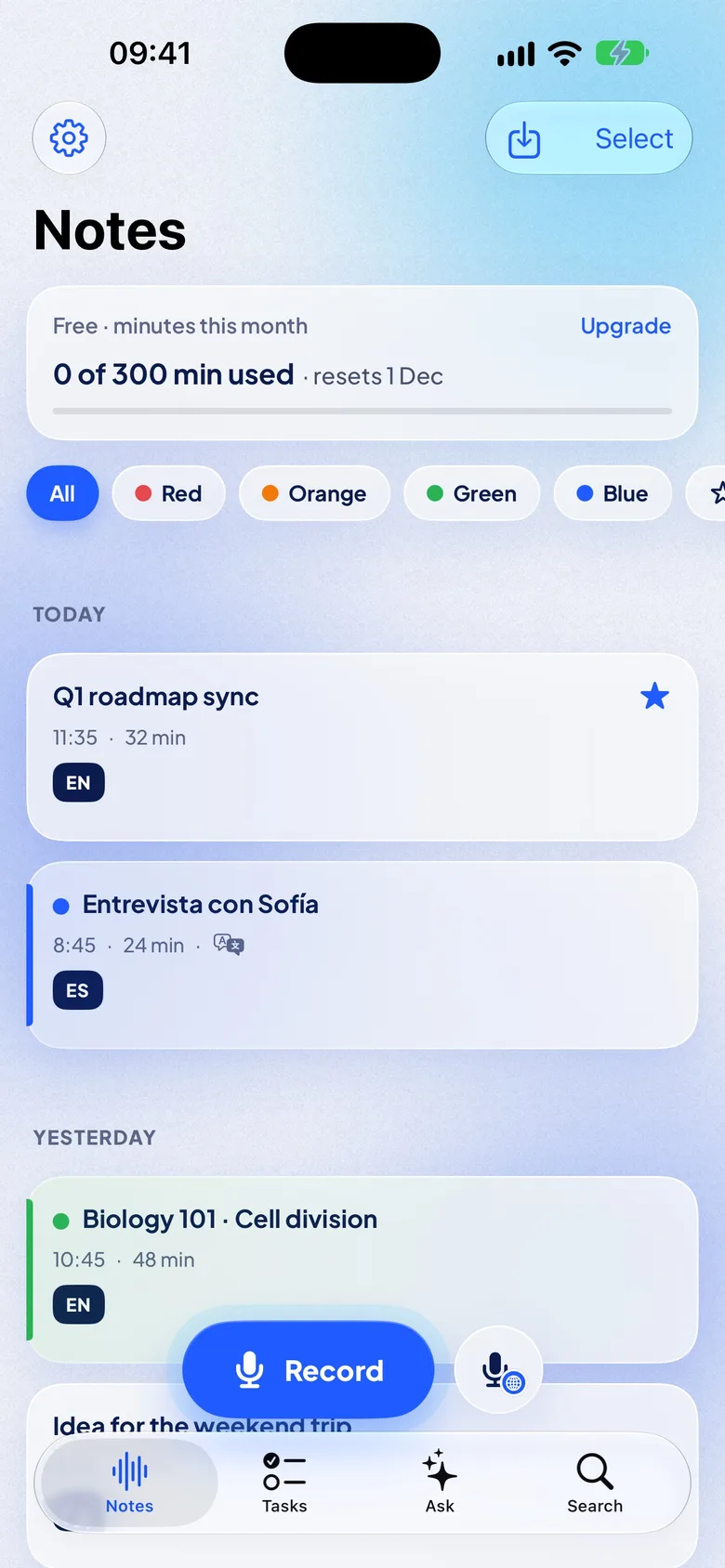
Notes grouped by day, with folders, favorites, color labels and swipe actions.
Speakers and talk time: who spoke when; rename a speaker by picking a contact.
Part 1 and Part 2 of a long recording stay one conversation.
Player with ±5 s and speed, find in transcript, show only highlights.
Edit the text, rename the note, transcribe again with another language.
My notes: private notes pinned to moments.
Trash keeps deleted notes for 30 days.
NotizPro Notes screen: 300 free minutes this month, color labels and today’s notes
Note with the transcript by speaker, Translate, Improve with AI and Highlights
NotizPro Notes screen: 300 free minutes this month, color labels and today’s notes
Note with the transcript by speaker, Translate, Improve with AI and Highlights
On-device AI

Summary, decisions and tasks, written on your iPhone

iPhone 15 Pro and newer use Apple Intelligence. Other iPhones get a one-time AI pack download of about 650 MB. Nothing is sent to a server, and it is free.
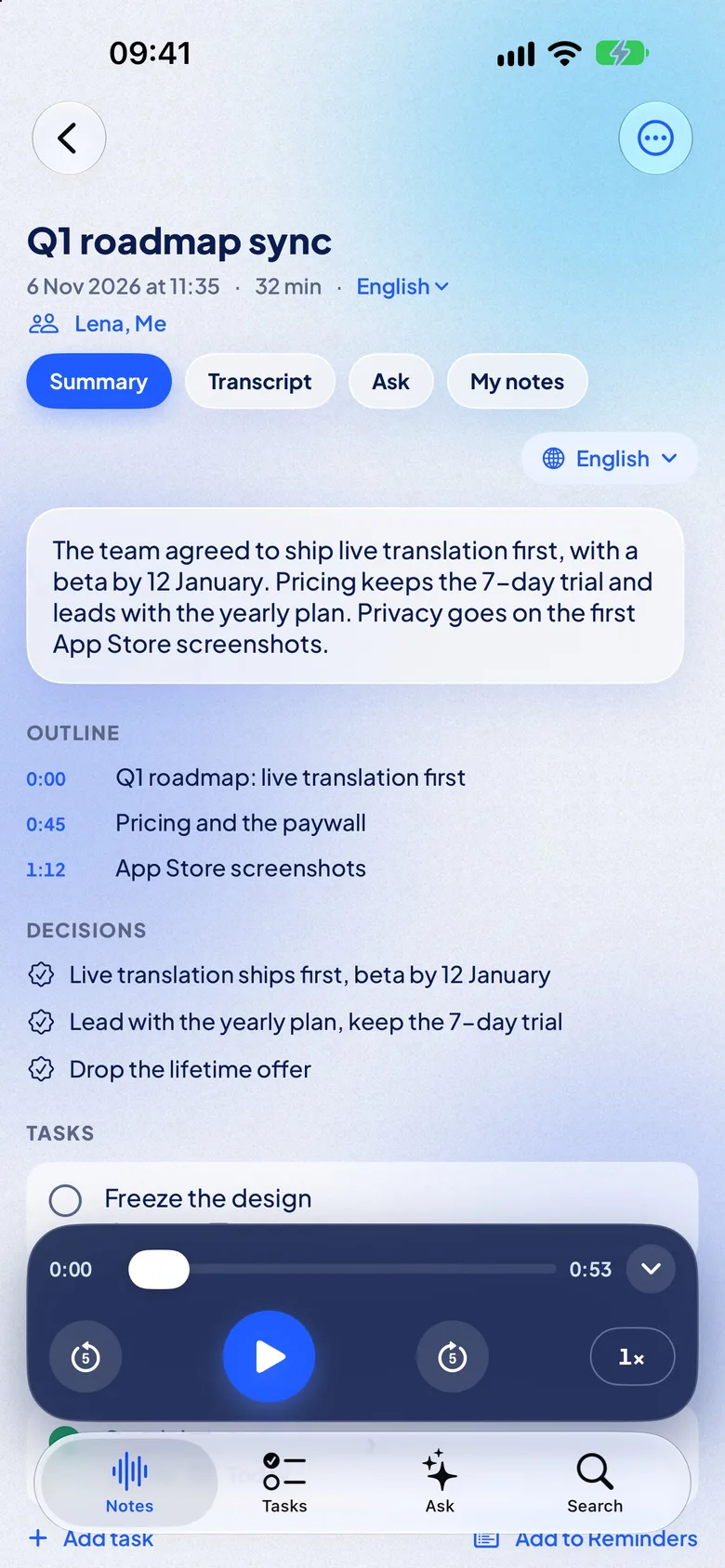
Overview and outline with times you can tap.
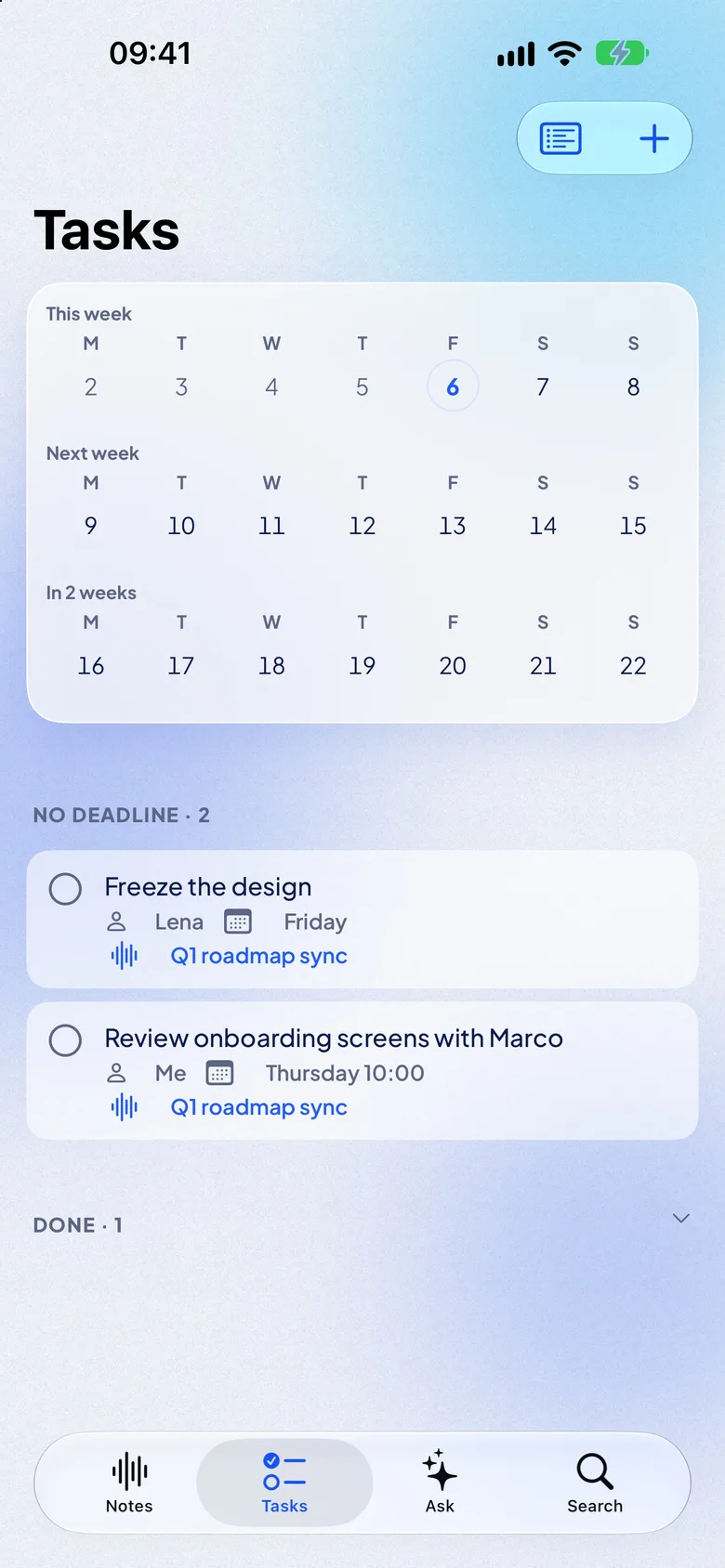
Decisions and tasks with owner and due date; add them to Reminders.
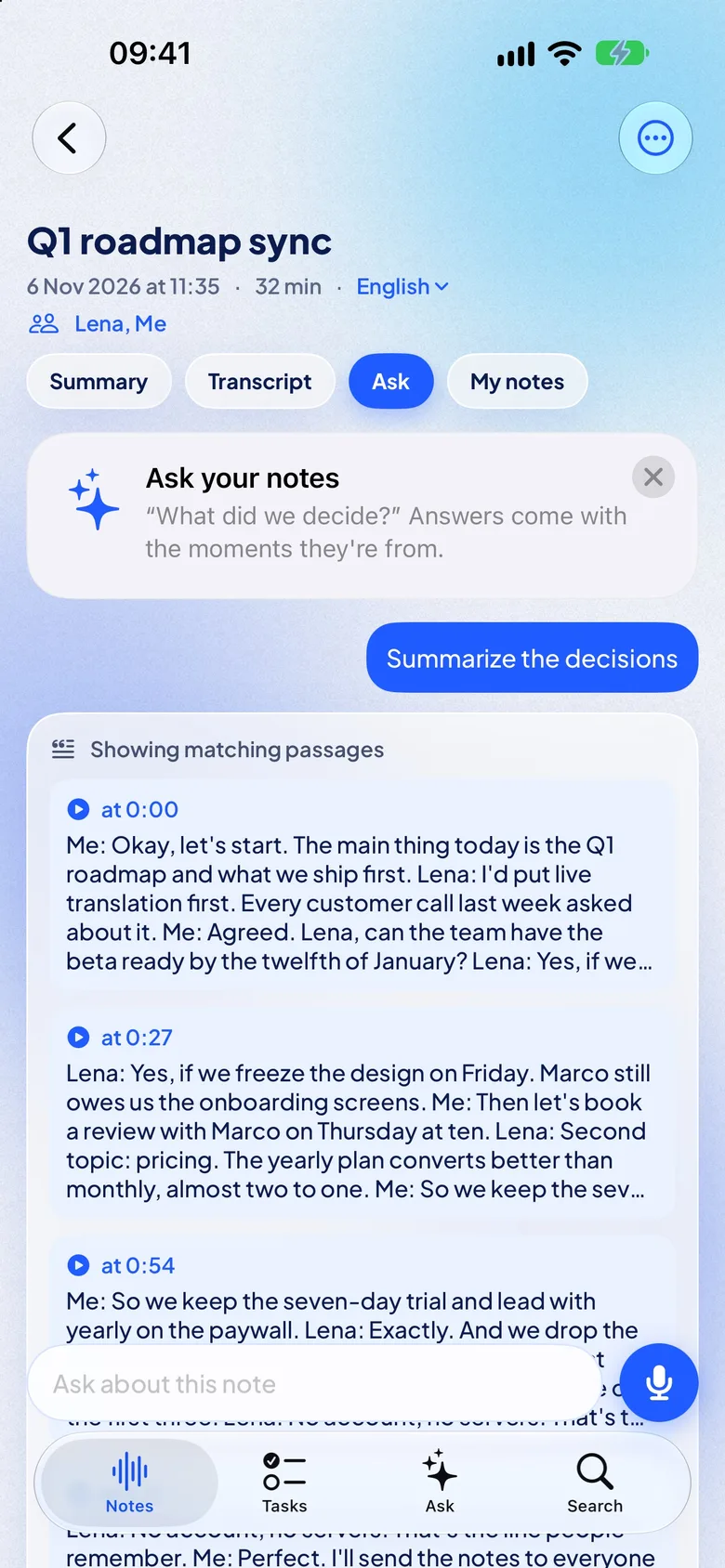
Ask about a note: “What did we decide?” “Catch me up.”
Summary in another language, from the same transcript.
Summary styles: meeting, lecture, interview, voice memo.
Note summary with overview, outline with times, decisions and tasks
Tasks from all notes on a three-week deadline strip
Note summary with overview, outline with times, decisions and tasks
Tasks from all notes on a three-week deadline strip
On-device transcription

Transcribed on your iPhone, even offline

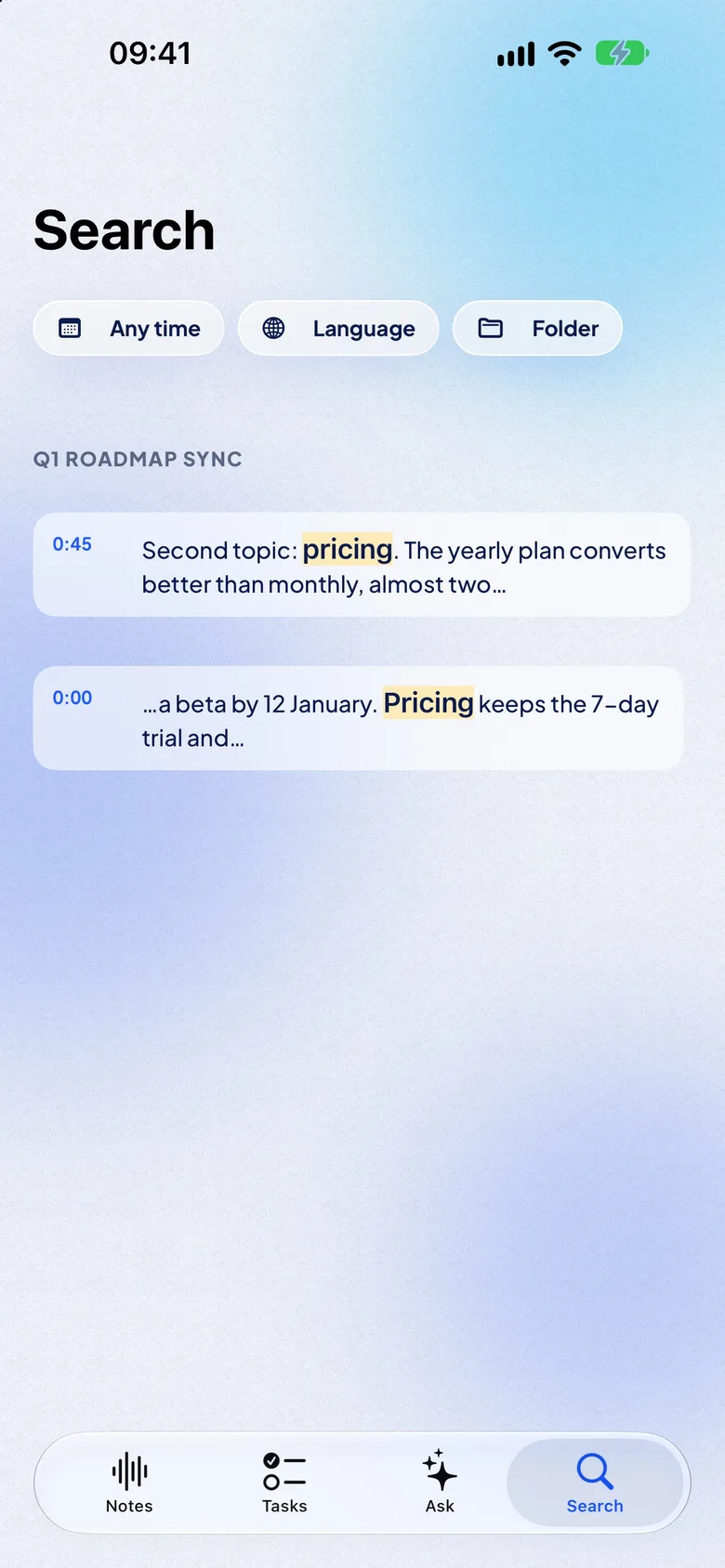
Speech recognition runs on the phone, with Apple’s built-in engine or a speech model you download once, not on a server. Record and transcribe with no internet at all: on a plane, in a basement lecture hall, abroad without data.
21 languages on the iPhone: 12 built into iOS, 9 with a one-time download.
No upload, no waiting line: the transcript is ready seconds after you stop.
Custom words for names and terms (Free: 5, Pro: unlimited).
Storage screen shows audio and the AI pack, and deletes old audio if you want.
Recording screen with language, Translate and microphone chips, the live transcript and the timer
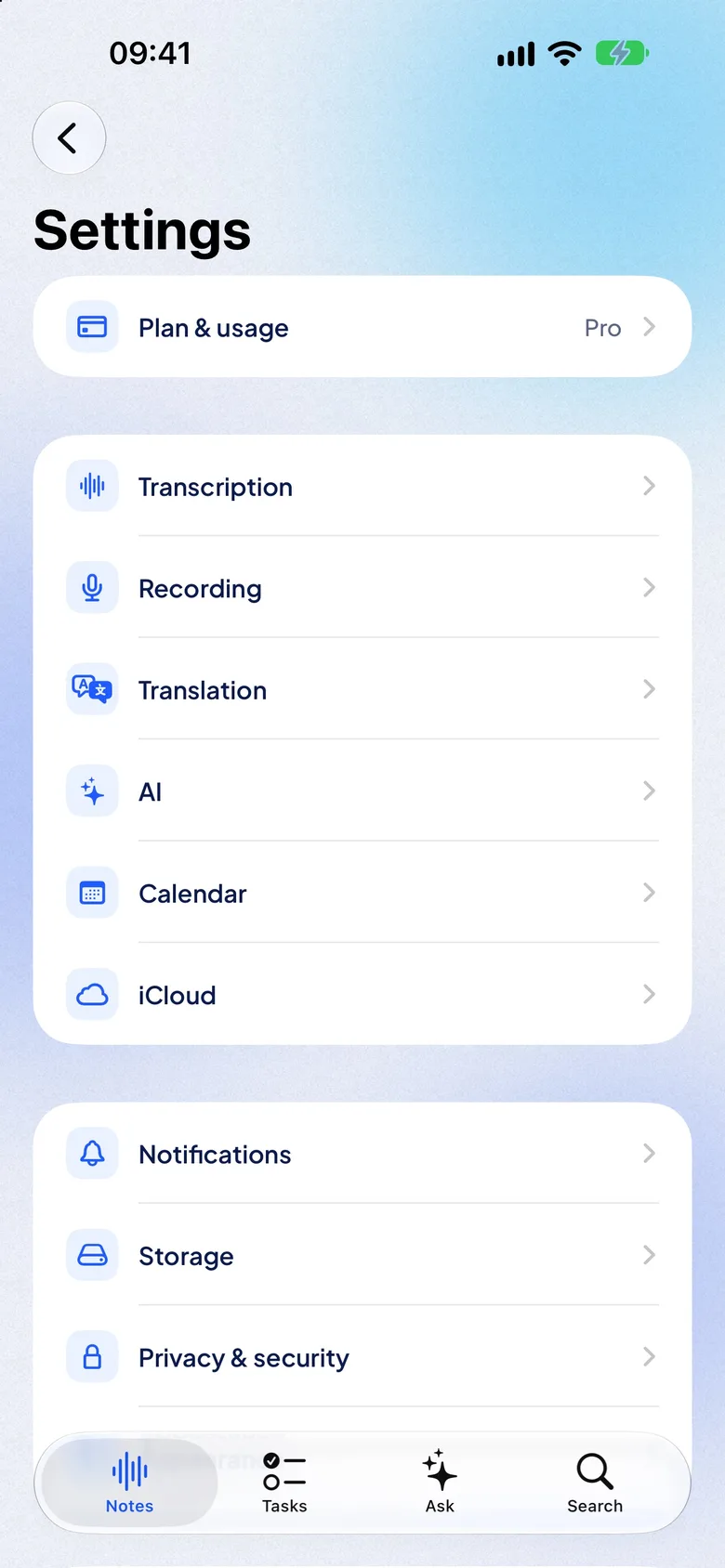
Settings: Plan & usage, Transcription, Recording, Translation, AI, Calendar, iCloud and more
Recording screen with language, Translate and microphone chips, the live transcript and the timer
Settings: Plan & usage, Transcription, Recording, Translation, AI, Calendar, iCloud and more
And also

Import, export, iPhone and iCloud

FreeImport audio and videom4a, mp3, wav, mp4, mov and more from Files or Photos. Long imports keep running in the background.
FreeShare to NotizProFrom Voice Memos, WhatsApp, Telegram, Mail, Files or any app that shares an audio or video file.
FreeExport with the share sheetTranscript, Markdown, PDF, subtitles (SRT, VTT) or audio. Free for everyone.
FreeStart from anywhereControl Center, Action Button, Lock Screen widget, Siri and Shortcuts.
FreeHome Screen widgetsRecord button with minutes left, last notes and open tasks.
FreeCalendarName notes after the meeting, and a “Record this meeting?” reminder if you want one.
PROiCloud syncNotes, transcripts, summaries and tasks on all your iPhones, in your own iCloud. Audio stays on the iPhone that recorded it.
PROShare by iCloud linkSend a note others can read or edit. Opening a shared note is free.
Languages

Transcribed in the meeting’s language, read in yours

NotizPro transcribes 21 languages on the iPhone: 12 with Apple’s built-in speech recognition, 9 with a speech model you download once. Live translation shows the meeting in any of 20 languages.

Every language, one by one
TranscriptionOn the iPhone · offline
EnglishGermanFrenchSpanishItalianPortugueseDutchPolishUkrainianRussianTurkishSwedishFinnishJapaneseKoreanChineseCantoneseIndonesianMalayThaiVietnamese
Live translation intoPro · offline
ArabicSimplified ChineseTraditional ChineseDutchEnglishFrenchGermanHindiIndonesianItalianJapaneseKoreanPolishPortugueseRussianSpanishThaiTurkishUkrainianVietnamese

What you need

An iPhone with iOS 26 or newer: iPhone 11 and later, iPhone SE (2nd generation) and later.For written AI summaries and answers: Apple Intelligence (iPhone 15 Pro and newer) or the AI pack, about 650 MB. Without either, the summary is built from key sentences.For live translation: a one-time download of each language from iOS; after that it works offline.

What NotizPro does not do

It does not join Zoom, Meet or Teams as a bot.It does not record phone calls.No web app or Android for now. iPad and Mac come later.